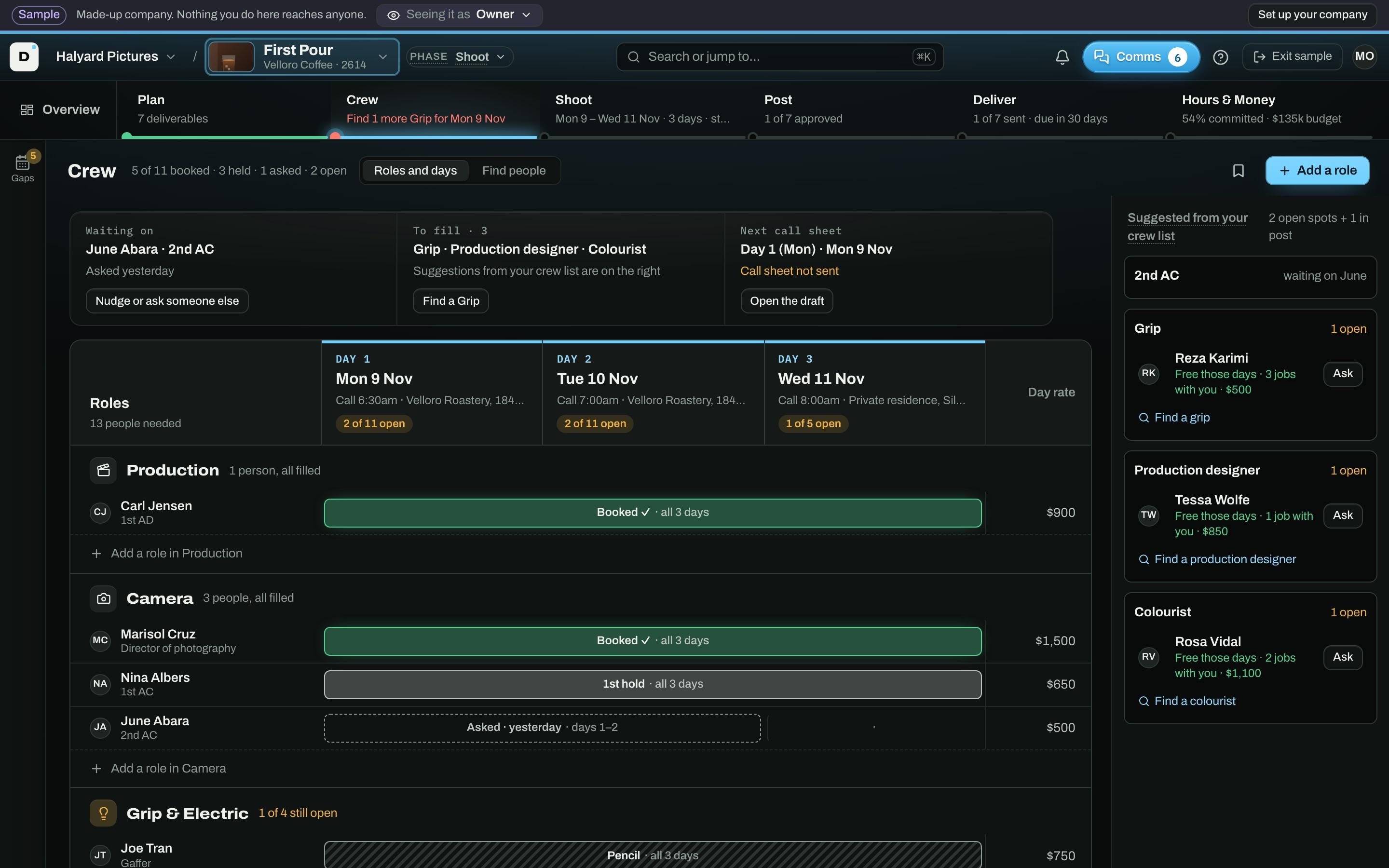
Holds that stay straight
Pencil, first refusal, or book, per person per day. See who’s free on your dates before you ask.
Plan, crew, shoot, post, and deliver every job in one workspace, built for production companies, crew, and post houses. It works with the tools you already use, so nothing gets typed twice.
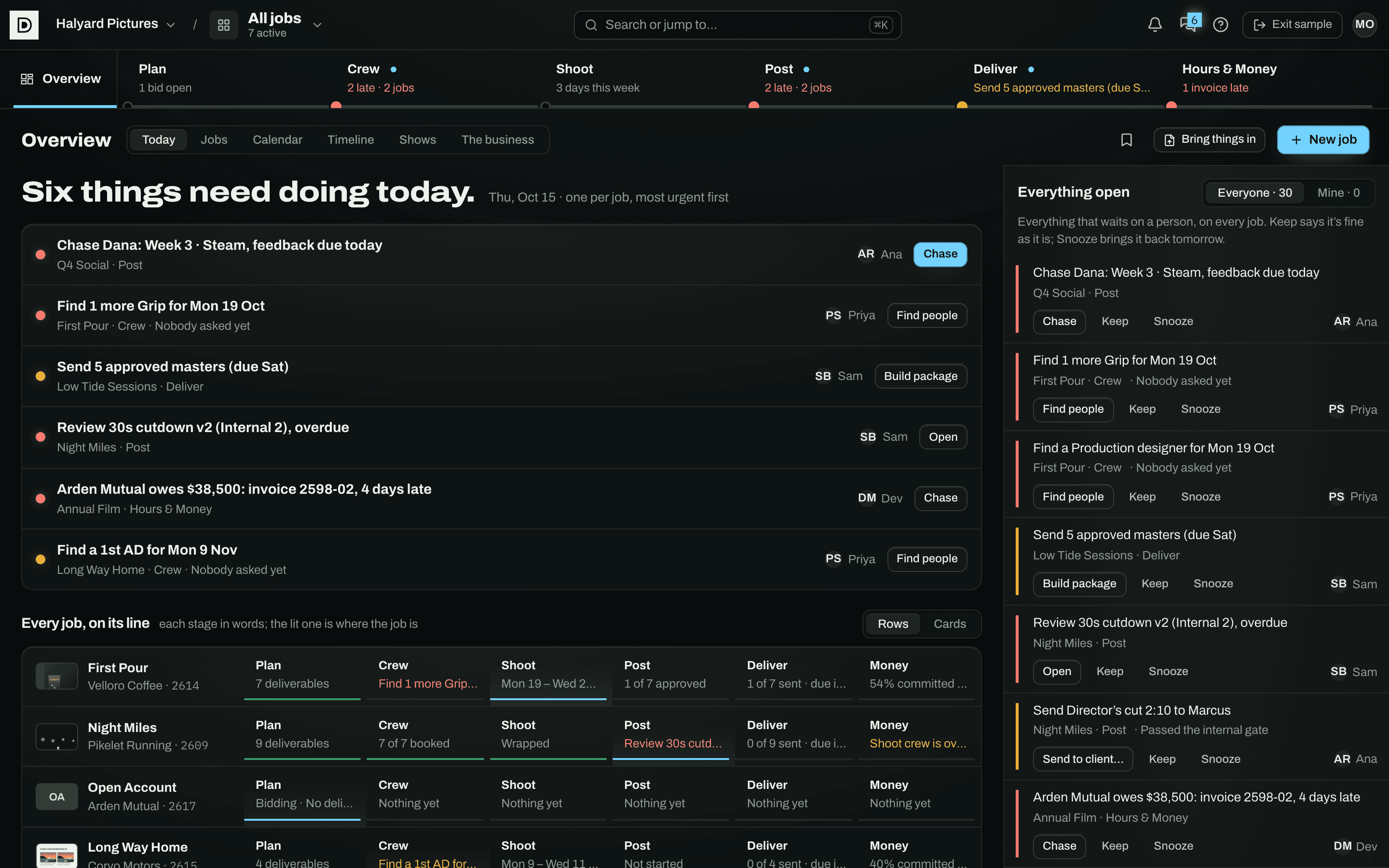
The sample company, Halyard Pictures. Made-up jobs, real screens.
Works with what you already use
One job, start to finish
Every job runs along the same line. Each stage says in plain words where it stands, so a glance at the top of the page tells you what’s next.
Who it’s for
Pick what describes you. Producers see the whole job; editors see their cuts; crew see their days; clients see only what you send them.
Book a whole department, keep every pencil and first refusal straight, collect the paperwork, and run post with the client. One place, with the right view for each person.
What it does
Each one works on its own, and each one knows about the others: a booking fills the call sheet, an approved cut fills the delivery.
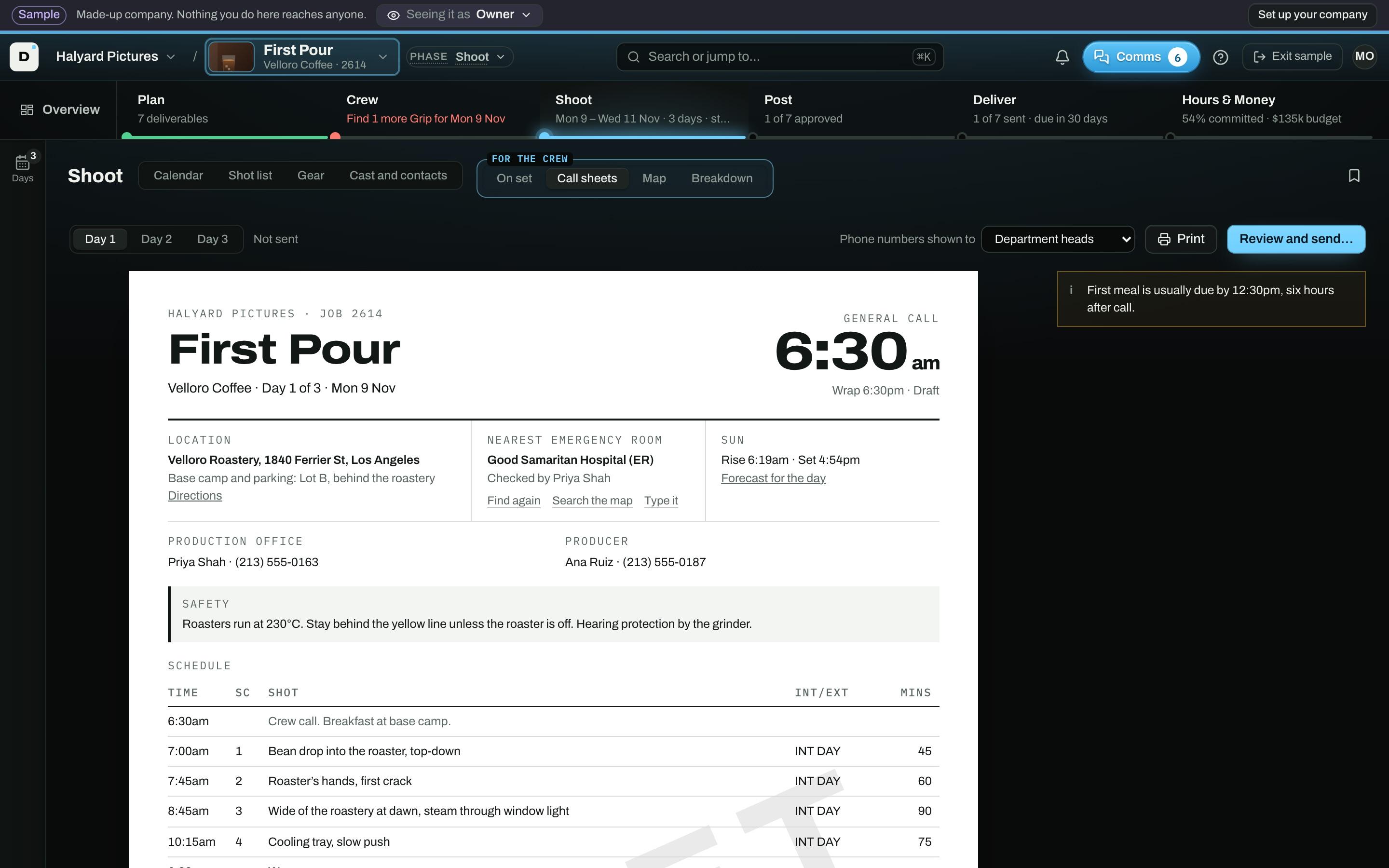
Pencil, first refusal, or book, per person per day. See who’s free on your dates before you ask.
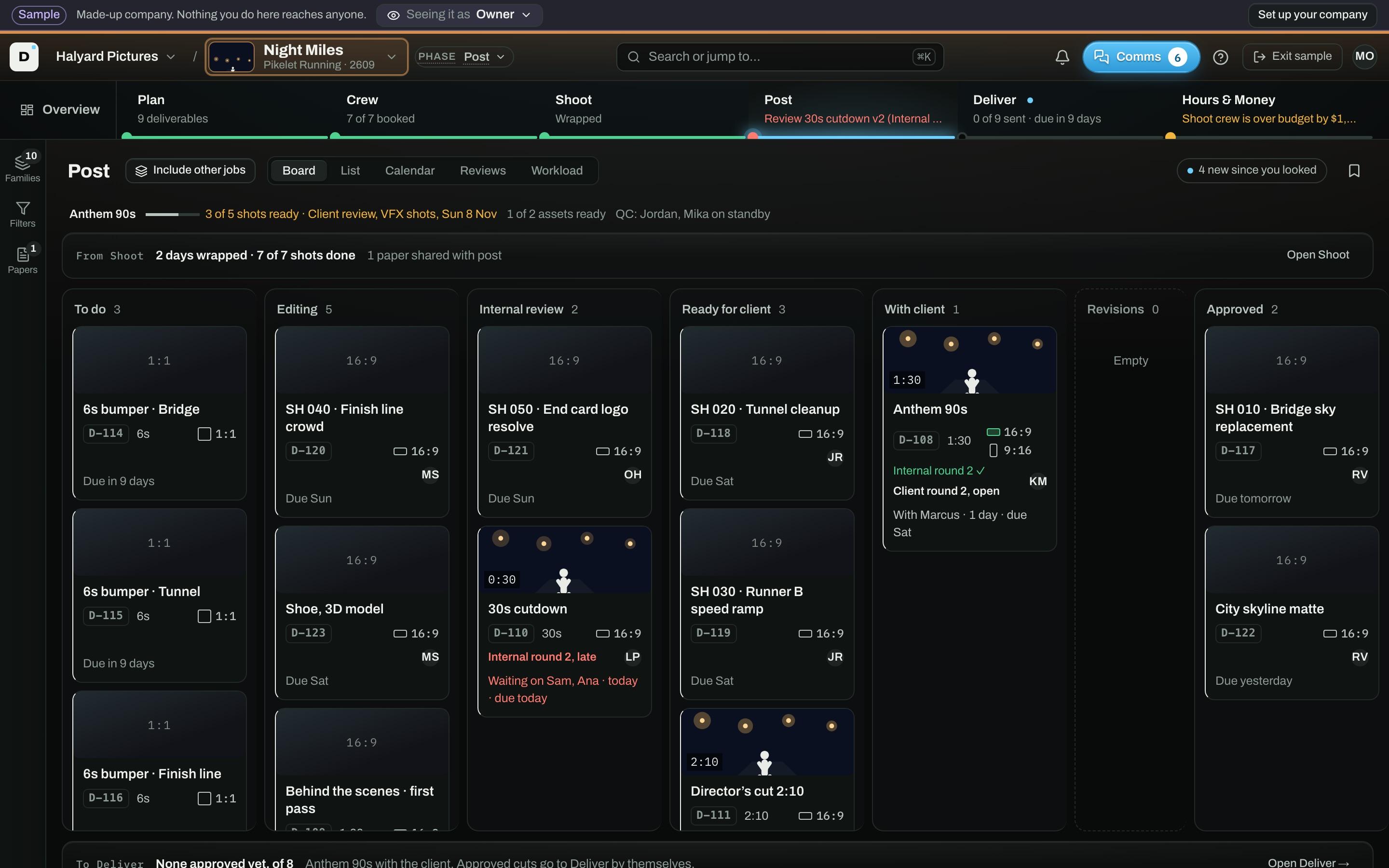
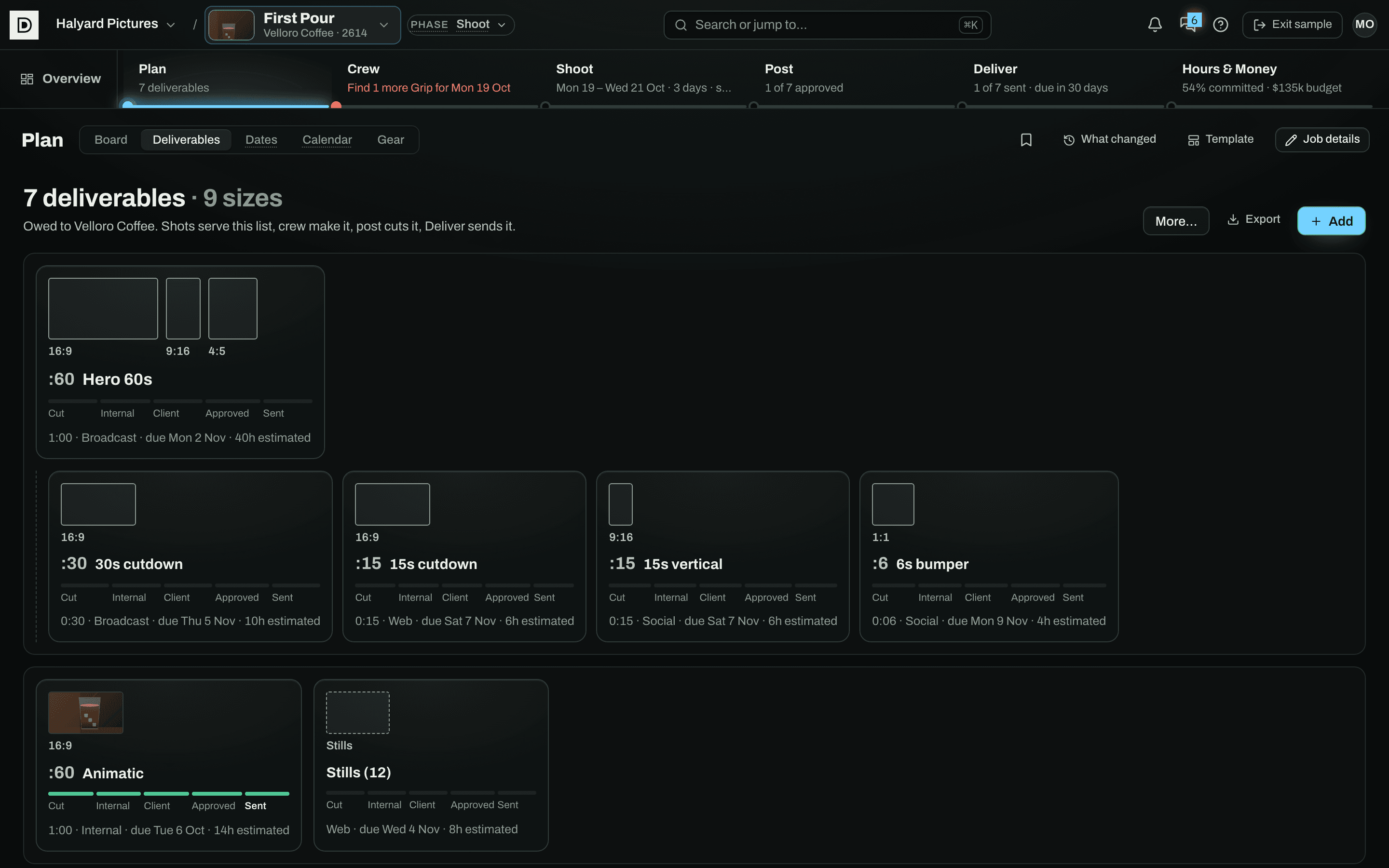
A card per piece from to do through internal review to the client, with every note kept beside its cut.
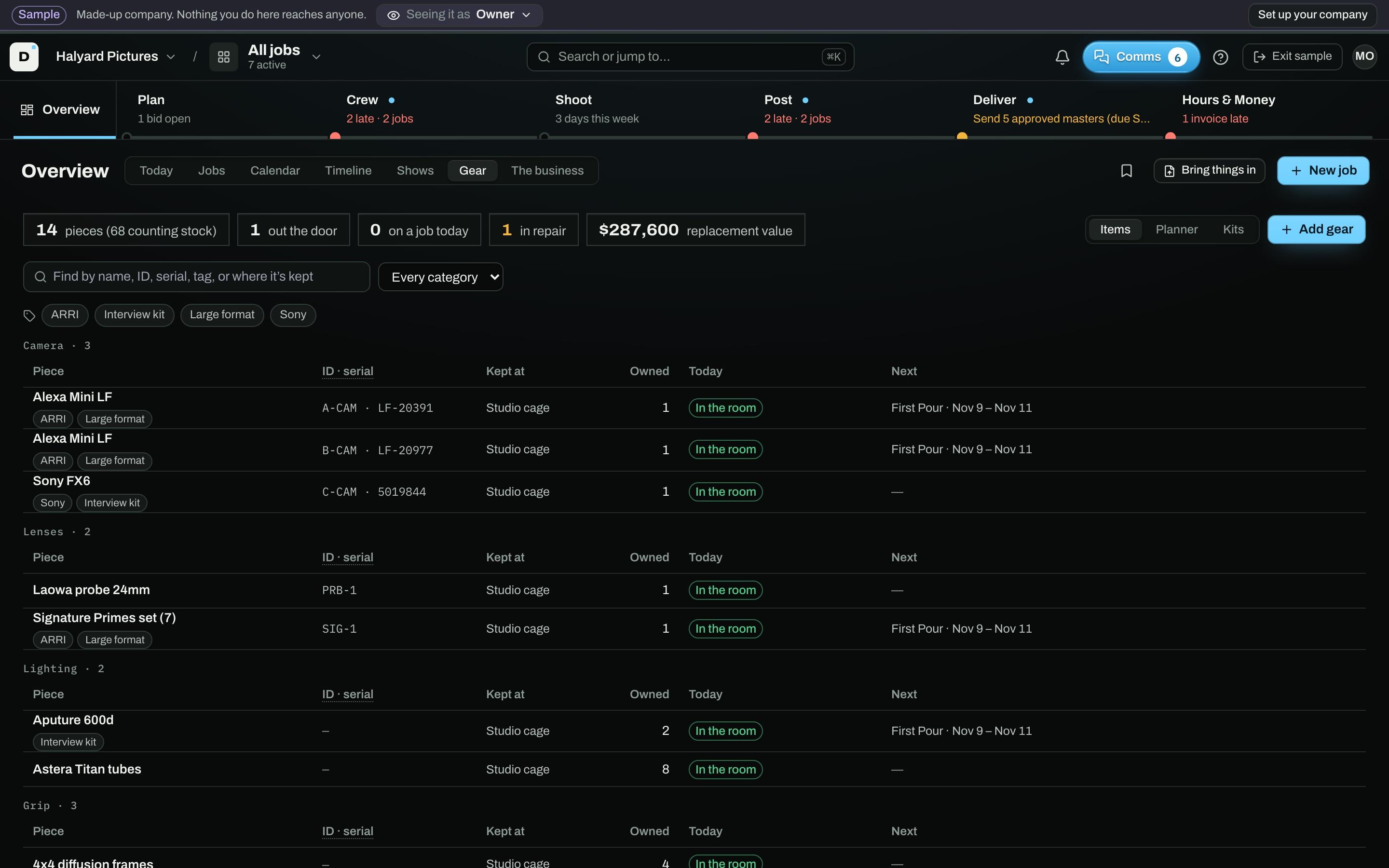
Everything the company owns, booked onto jobs. A piece one shoot has can’t go to another on the same days.
Six stages on one line, and the one that needs you is lit, for every job you’re running.
And
Your tools
Bring in the budget, crew sheet and lists you already keep, keep talking where your team talks, and send every change on to the apps you run the business on.
Every list in Dayrate also exports as a spreadsheet, any time.
What it replaces
One list per role, asked in order until it is booked, invites included
Holds both sides can see, with deadlines that enforce themselves
Paperwork shared once, with a log of every time it is opened
One set of notes, each marked for who is allowed to read it
While you’re busy
The people you book
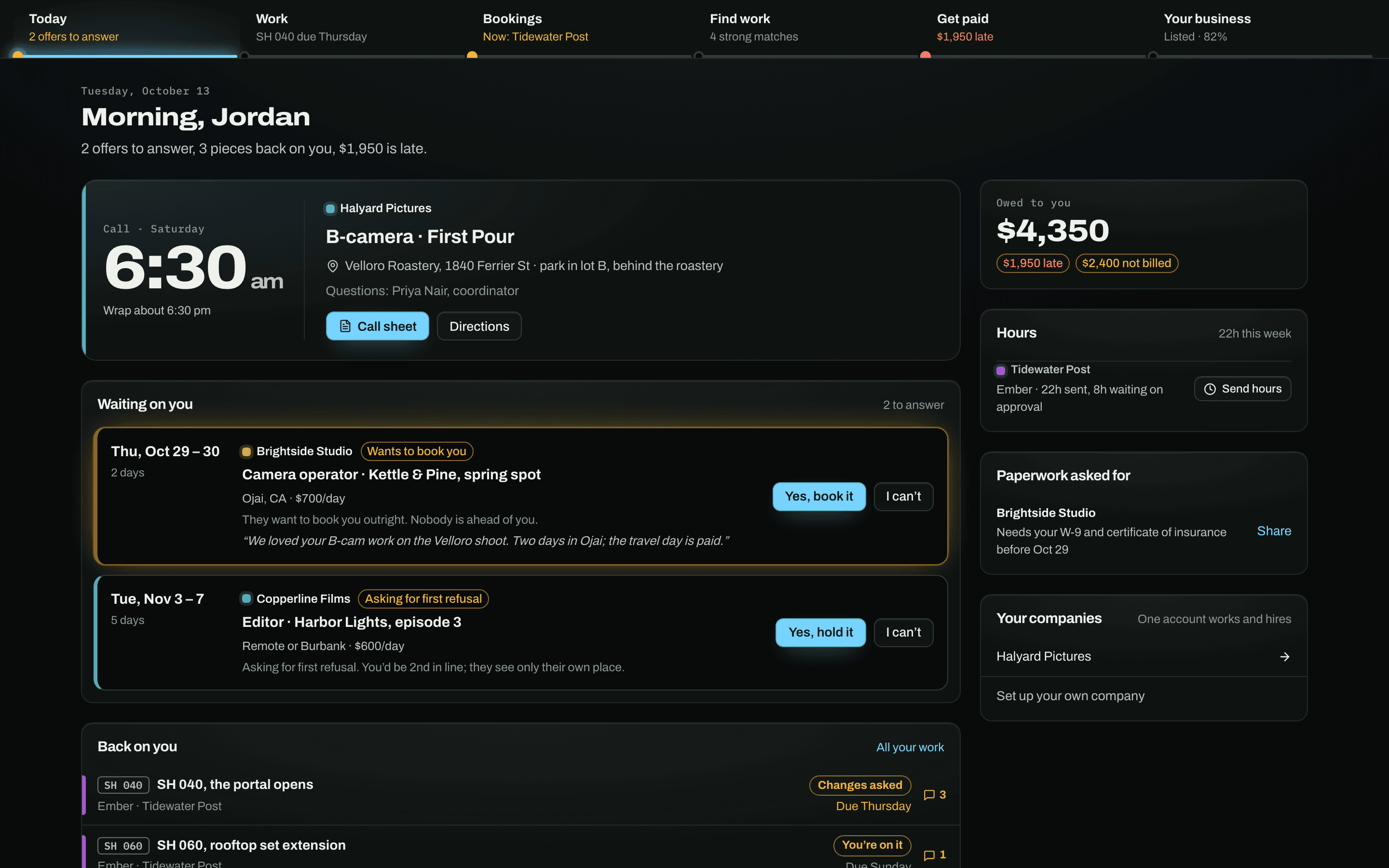
One page for every company they work for: tomorrow’s call time and where to park, your offer answered in one tap, the cuts handed to them with every note, and their invoices.
Security
Call sheets, crew phone numbers, and tax forms should be harder to get at here than in the email thread they live in today.
Owners and admins need an authenticator code to open anyone’s paperwork, see the money, or change the team. The database checks it, not just the screen.
Who opened whose W-9 or COI, when, and who shared or took it back. Kept for two years and downloadable for your client’s audit.
Another company can never see who you are holding or what you pay. You see your place in the queue, never who is ahead of you.
Notes are marked for your shop, for you and the production company, or for everyone. A client’s link shows only the last. Links can be set to expire.
Every table checks who is asking before it answers. A mistake in one page is not enough to show one company another’s data.
Download everything the company put in, as spreadsheets, any time. Delete an account and its files go with it. We never sell data or train AI on it.
Starting
Name it and you are in. No contract, no setup call, no card.
One at a time, as you book them. The invite comes from you by name, with the hold attached if you have dates.
One role or a whole department. Your list grows every job, and you keep doing the rest the way you do now.
Coordinator, post supervisor, accountant on read-only. Each sees what their role allows.
Price
Every page, every job, no card. Crew stay free, permanently.
The rest
To answer a hold, yes, and you can invite them yourself. The invite comes from you by name, not from us, with the hold attached, so it is waiting when they join. It is free for crew, permanently, and every ask also arrives by email. Your clients never need an account; they get a link.
No. A company sees its own holds and its own place in the queue ("2nd in line"), never who is ahead or what anyone else offered. That rule is enforced by the database, not by a setting somebody could change.
Only notes you mark for them. Every note is marked Just us, Us and the production company, or Everyone, client included, and a client’s link shows only the last.
Paperwork and money sit behind two-step sign-in, every paperwork open is logged, and access is checked by the database on every request. We do not have a SOC 2 report yet. If your client’s security team has a questionnaire, send it to security@itsdayrate.com and we will fill it in.
Nothing while Dayrate is in beta: every page, every job, and no card. Crew stay free, and nobody is charged anything without being asked first.
No. Dayrate uses Anthropic’s Claude to match crew to jobs, under commercial terms that do not allow training on what we send. Paperwork, phone numbers, and company money are never sent to it.
Owners and admins can download the company’s records as spreadsheets at any time: crew list, holds and bookings, post notes, hours, money, and the paperwork log. Anyone can delete their account from their settings, and the files they uploaded are deleted with it.
No. Most people start with one shoot: one department booked, or one post project with the client on a link. Keep the rest where it is until you decide.
Something else? Write to support@itsdayrate.com. A person answers.
One department, one post project, or just the budget. Free during the beta, and no card.